
Ploy website builder in 2026: a field guide from a team building on it

A target account visits your pricing page twice in one week. Its company name sits in one tool, its CRM record in another, its rankings in a third and the ad that brought it in a fourth. By the time someone connects them and changes the page, the visit is a week old.
Why it matters: That’s the problem Ploy is built around. It puts the site, hosting, CMS, analytics, visitor identification, SEO and AEO monitoring and agent workflows in one system.
Our reading: We’ve been building on Ploy, and what stood out is how the pieces connect. With the page, the traffic, the visitor and the CRM record in one place, an agent can read the traffic, see which companies showed up and propose the next change.
Quick answer: should you switch to Ploy?
Ploy costs more than a Framer or Webflow site plan, so match it to how much your website drives revenue, your company’s stage and the size of your marketing team. For a B2B team whose site is a main pipeline channel, it’s worth a close look, provided four things fit: your CRM, where your visitors are, your migration route and your security review. The essentials:
Ploy fits a lean B2B team without marketing ops that wants its site, CMS, analytics, visitor identification and SEO and AEO tracking in one place, with an agent that proposes changes. Check its publishing permissions and scheduled workflows before you turn on automation.
Framer or Webflow is enough if your site mainly explains the product and books demos. Their site plans cost $10 to $30 a month billed yearly, against $240 a month for Ploy Pro billed annually. Section 8 helps you decide by stage and team.
Check first if you rely on Salesforce (Enterprise only), need to identify visitors outside the US (new visitors are identified in the US only), or face a strict security review (Ploy’s FAQ and enterprise page say its SOC 2 Type II audit is in progress).
Plan for Pro if named accounts in HubSpot or Attio are the point. At $300 a month, it adds two-way HubSpot sync, Attio company and people sync, and 1,000 enrichments a month. Salesforce needs Enterprise.
Move in stages if you like. Ploy can serve the pages you’ve moved and proxy the rest to your current site, with setup guides for Framer, Webflow, Lovable, Vercel and other hosts.
Planning a move? Work through the checklist near the end with your team before you commit.
1. What is Ploy?
Ploy (ploy.ai) is an AI marketing platform built around your website, from Ploy, Inc. in San Francisco. It is a Y Combinator Spring 2026 company, founded in 2025 and led by founder and CEO Bryant Chou, who co-founded Webflow and was its CTO from 2013 to 2025. Ploy launched publicly in June 2026 with a $27M seed round from First Round Capital and Y Combinator.
Its homepage puts the pitch in one line: “Your website should be working harder than you are.” In practice, the agent proposes changes, and your publishing and workflow settings decide which ones need approval. Section 3 covers the defaults and exceptions.

Ploy’s builder starts from a scan of your current site or from scratch, and gives each site its own components and design tokens. Image: Ploy
2. What does Ploy cover?
Here’s the short version first, then each piece in detail.
What you need | What Ploy does | Check before you switch |
|---|---|---|
Site builder | A chat agent builds from your current URL or from scratch | The URL import is not a 1:1 copy |
Hosting | SSL, one-click DNS, routing rules and rollback | Custom domains need a paid plan |
CMS | PloyDB, on every plan including Free | Launched October 1, 2026 |
Analytics | Pageviews, events and visits from AI assistants | Included on every plan |
Visitor identification | Companies from IP, people from an opted-in identity graph | New visitors in the US only |
CRM | HubSpot (two-way) and Attio on Pro | Salesforce is Enterprise only |
Outreach | Email drafts and a LinkedIn queue you review | Email stays in drafts; LinkedIn sends after review |
SEO and AEO | Rank tracking, plus daily answers from ChatGPT, Perplexity, Gemini, Claude and Google AI Overviews | Semrush data needs Pro |
Ads | Ad creative, Meta campaigns on request, an ROI report and conversion forwarding | Ploy Ads itself is “Coming soon” |
Agent workflows | Ploybooks run on demand, on a schedule or from a webhook | Scheduled runs spend credits |
Code | GitHub sync, an MCP server and skills for Claude Code, Codex and Cursor | Ongoing code access needs a paid plan; Astro imports also work on Free |
Price | Free, then $50 and $300 a month; Enterprise is custom | Credits don’t roll over |
Running the site
Site and builder. A chat agent builds the site from a scan of your current URL or from scratch. Each site gets its own component library and design tokens, text can be edited inline, and earlier versions can be restored. Under the hood it’s Astro, React, TypeScript and Tailwind on Cloudflare’s Workers runtime.
Hosting. SSL, one-click DNS on supported registrars, a canonical domain, routing rules, immutable deploys and rollback are built in. Every site gets a free ploy.build address; a custom domain needs a paid plan. Ploy describes edge caching and static builds, and its status page shows uptime for the last 90 days. We didn’t find a published SLA, so ask Ploy if you need one.
CMS. PloyDB, launched on October 1, 2026, is on every plan, including Free. It works like a spreadsheet with typed fields and relations, drives template pages that update without republishing, and has drafts, CSV import (files up to 32 MB) and export (up to 10,000 rows), and 30 days of history.
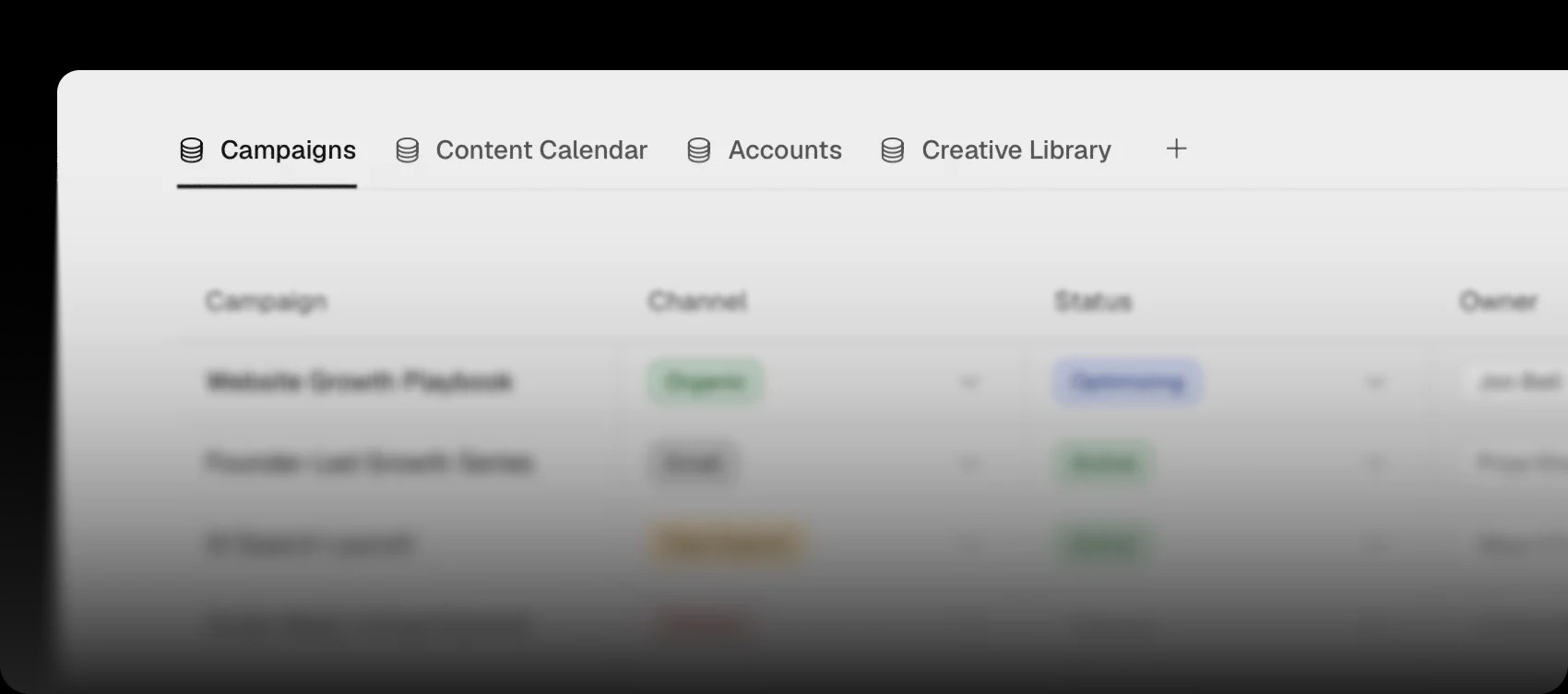
PloyDB keeps content in datasets with typed fields and relations, and it’s on every plan, including Free. Image: Ploy
Analytics. Pageviews, sessions, traffic sources, clicks and forms are tracked automatically, and an AI channel counts visits from assistants such as ChatGPT and Claude. GA4 and PostHog can be served first-party. It’s on every plan.
Growing from the site
Visitor identification. Named companies and likely contacts, with an intent score. It gets its own section below, because the limits matter.
CRM. HubSpot syncs both ways and Attio upserts companies by domain and people by email, both on Pro; Salesforce is Enterprise only.
Outreach. It runs as Ploybooks: Gmail drafts for target visitors that are never sent automatically, and LinkedIn invites and messages that go out from your own account through a paced queue after you review them.
SEO. Keyword research, rank tracking, competitor lookups and on-page scoring, with Google Search Console on every plan and Semrush on Pro.
AEO. For AI search, Ploy runs your chosen queries daily in ChatGPT, Perplexity, Gemini, Claude and Google AI Overviews, keeps the full answers and your citation position, alerts you when citations drop, and proposes fixes such as schema, FAQ blocks and rewritten sections.

Ploy runs your chosen queries daily in five AI answer engines and records where your site is cited. Image: Ploy
Ads. The Ploy Ads product is marked “Coming soon”. Today you get a Ploybook for on-brand static ad creative, an ROI report that joins UTMs and identified companies with spend from Google, Meta, LinkedIn and Reddit, and conversion forwarding to GA4, Meta Pixel and Google Ads once a visitor consents. Through the Meta Ads integration, the agent can also create campaigns, ads and creatives when you ask, once you allow write access.
Working with your own tools
Code. On paid plans, GitHub Code Sync keeps each site in a repo that syncs both ways, so your own agent can work in it. The Ploy CLI installs Ploy’s agent skills for Claude Code, Codex and Cursor, and a remote MCP server, available on every Ploy account, works with Claude, ChatGPT, Codex, Cursor and Grok.
3. Who approves what Ploy’s agent does?
This decides whether one system holding the whole loop is safe to hand to an agent. Ploy’s answer: the agent proposes, you approve, and you control the settings.
Publishing. Automatic publishing is off by default. Ploy recommends “Preview only”: the agent can publish previews, and production still needs a person.
“Preview + Production” lets the agent publish to your live site without confirmation.
Important: On a site that has never been published, the agent publishes the first page it builds and checks to the site’s free ploy.build addresses without asking, so you have a link to share. Your current website and custom domain aren’t touched. To keep that first page unpublished, ask the agent before it builds.

Here “Preview + Production” is selected, so the agent can publish to the live site without confirmation. Ploy recommends “Preview only”. Image: Ploy
Schedules. Ploybooks can run on a schedule. Before you turn one on, Ploy shows when it will run and how many AI credits it is expected to use, and the schedule starts only after you confirm. A scheduled run publishes to production only if that’s part of the workflow and an owner or admin has allowed automatic publishing to production. Once confirmed, runs execute and spend credits on their own until the schedule ends, which by default is 90 days after it starts.
Connected tools. Write access to your integrations is off until you allow it, and suggested next steps open as drafts.
Outreach. In the Gmail outreach Ploybooks, email stays in drafts and is never sent for you. LinkedIn actions wait in a queue until you review them.
On our own site, agent edits land on a branch and a person publishes. On Ploy, the closest setting is “Preview only”: keep it on while you test a workflow, and remember the first-publish exception above.
4. What can Ploy’s visitor identification see?
If visitor identification is part of why you’re switching, check its coverage and plan limits first.
How it works. Ploy works out a visitor’s company from their IP address, with no SDK to install. Person-level matches come from an opted-in partner identity graph. Each match can include company details, likely contacts with LinkedIn profiles, and an intent score based on the pages viewed, time spent and repeat visits.
Where it works. New visitors are identified in the US only. Visitors from the EU and UK aren’t identified unless there’s an existing relationship, and a cookie decline, Do Not Track or Global Privacy Control signal turns it off. For a team in India, that means new visitors from India won’t be identified, so check how much of your target traffic comes from the US before you count on it.
What it costs. Identification uses enrichment credits: 50 a month on Starter (labelled “Preview”) and 1,000 a month on Pro. Pricing and Ploy’s docs list none on Free, though the visitor identification page says Free shows your first named account. Sending named accounts to HubSpot or Attio needs Pro, and Salesforce needs Enterprise.

New visitors are identified in the US only, so check where your traffic comes from before you count on named accounts. Image: Ploy
Important: Ploy makes three things the customer’s job: a working unsubscribe link in every marketing email to identified contacts, a privacy policy disclosure (Ploy provides suggested language) and a cookie banner that excludes visitors who decline. Plan them with whoever owns privacy on your team before you turn identification on.
Ploy’s trust center lists its subprocessors, including GetEmails and two marketing data providers, Waterfall and Wiza. If your security review needs to know which provider handles visitor identification, ask Ploy directly.
5. How do you move a site to Ploy?
There are five routes, and you can combine them. Here’s how to choose:
Route | Use it when | Watch for |
|---|---|---|
Import from a URL | You want a fast first version of a marketing site | Not a 1:1 copy: forms, dynamic features and private pages may need work |
Rebuild Ploybook | You want a plan, a QA pass and a cutover you approve | Covers WordPress, Webflow, Framer, Squarespace and custom sites |
CMS import into PloyDB | Your content lives in WordPress, Webflow, Framer, Squarespace, Sanity, Wix or Notion | A one-time copy, not a sync; Wix app collections and Notion relations and rollups are skipped |
Gradual move by proxy | You want to move page by page while your current host serves the rest (Ploy has guides for Framer, Webflow, Lovable, Vercel and other hosts) | Your domain points at Ploy first, which needs a paid plan; Webflow needs a www2 subdomain |
Astro repo import | Your site is already a compatible Astro project | The import works on Free, but each import creates a new site; sending later code changes to the same site needs a paid plan (Code Sync or the CLI) |
Cutover. The Rebuild your site on Ploy Ploybook plans the rebuild, checks approved page groups before cutover, and your old site stays untouched until you approve the switch.
CMS imports. They differ by source: WordPress and Squarespace import from a public URL, Webflow through a one-time secure connection, Framer with the project URL and an API key, and Sanity from a public dataset or with a token.
URLs and redirects. They’re handled separately when the pages are rebuilt, along with metadata, and the gradual move works by proxying every path you haven’t moved to your current site.
WordPress teams have one more option: the Ploy Connect plugin serves Ploy pages on your WordPress domain without moving DNS, though your homepage stays on WordPress. Ploy recommends pointing your domain at Ploy when you can, and its docs list the plugin for paid plans.
What the partial estimate didn’t count
On October 16, 2026 we ran Ploy’s migration estimate on rango.design, our Framer site. Its full browser scan ran past 6 seconds, so it returned a partial result from early site signals. It detected Framer and estimated 13 hours of manual work against 3 minutes for Ploy’s automated migration.
What it counted | Ploy’s partial scan | Our count |
|---|---|---|
Pages | 45 | 44 URLs in our sitemap |
CMS items | 41 | Not compared |
Forms | 0 | 1 contact form |
Redirects | 0 | 3 |
Ploy calls the estimate directional, not a quote from a specific vendor, and that’s the right way to use it: size the move with it, then count forms and redirects yourself.
The same goes for URLs: build the inventory from more than the sitemap, because a URL missing from it can miss both the rebuild and the redirect it needs. Ploy’s own launch checklist makes the same point and turns the indexed URLs from Google Search Console into your redirect map.
If you want help checking that inventory and planning the cutover, see our website migration work.
6. What does Ploy cost?
Note: prices rechecked on October 26, 2026 on ploy.ai/pricing. The table shows monthly prices; with annual billing, Starter is $40 a month and Pro is $240 a month, 20% less.
Plan | Price | What you get |
|---|---|---|
Free | $0, no card | 500 credits a day up to 2,000 in total, and PloyDB. No custom domain, collaborators, Code Sync or CRM integrations. Pricing lists no ad integrations, but the integrations docs list Meta Ads on Free, so confirm with Ploy. |
Starter | $50 a month | 4,000 credits, one custom “domain family”, 50 enrichments a month (labelled “Preview”), collaborators, Google Workspace and Code Sync |
Pro | $300 a month | 24,000 credits, five domain families, 1,000 enrichments a month, and the HubSpot, Attio and ad integrations |
Enterprise | Custom | Salesforce, white-glove onboarding and done-for-you Ploybooks |
Ploy Managed | The Pro plan plus 10 hours of hands-on consulting and execution from Ploy’s team. Larger scopes are quoted separately. |
How credits work. On monthly billing, Ploy’s listed Starter and Pro credit tiers work out to $12.50 per 1,000 credits, or $10 billed annually. AI credits are spent while Ploy’s agent works, including scheduled Ploybook runs, not on traffic. Unused credits don’t carry over, and on an annual plan AI credits still reset every month. Ask how visitor enrichment counts on your plan: the pricing page says it draws from the same credit balance, while the credits docs give it its own monthly allowance.
Changing plans. On monthly billing, upgrades charge the full monthly difference straight away and downgrades apply from the next cycle. On annual billing, moving to a higher tier charges today for the months left in your term, and a lower tier or a switch to monthly billing takes effect when the term ends.
For a B2B team that wants named accounts in its CRM, Pro is the realistic starting point.
7. What if you want to leave Ploy?
Code. Source access is on paid plans only, through Code Sync or the Ploy CLI, where “ploy site git clone” gives you the site’s full source. Free workspaces can’t access the code.
Repo ownership. The synced repo lives in Ploy’s own GitHub organization. You can mirror it to yours, but third-party GitHub apps aren’t supported on Ploy-managed repos.
Content. PloyDB exports to CSV, which isn’t a lossless backup. For a fuller copy, its server API reads every record, page by page.

PloyDB keeps content as typed fields and relations, so plan how you’ll export it before you depend on it. Image: Ploy
So turn on Code Sync and mirror the repo to your own GitHub organization in the first week, not the last.
8. Ploy vs Framer and Webflow: is it worth the price?
Ploy costs more than a site builder. Framer’s site plans run $10 to $30 a month and Webflow’s $15 to $25, billed yearly. Ploy starts at $40 a month on Starter and $240 on Pro, billed annually ($50 and $300 billed monthly). The difference pays for visitor identification, CRM sync, AEO tracking and an agent that runs scheduled workflows, which you’d otherwise add as separate tools or plans. So the right choice depends on three things:
What decides it | Framer or Webflow is enough when | Ploy earns its price when |
|---|---|---|
How much your website drives revenue | It mainly explains the product and books demos | It’s a main pipeline channel: paid landing pages, named accounts and AI search |
Your company’s stage | You’re still finding your market, or every tool has to justify its cost | You have pipeline targets and budget for the tools Ploy would replace |
Your marketing team | A designer or developer keeps the site up, or a web team and marketing ops already run your stack | You have one to three marketers and no marketing ops, so the agent covers work you can’t staff |
A simple test: compare Ploy with what it would replace, not with a site plan. If you’d otherwise pay for a visitor identification tool, an AEO tracker and someone to run campaigns, add those up before you decide. Ploy pitches itself to founders as the marketing infrastructure of a growth team without an early hire. If your site is still mainly a brochure, a Framer or Webflow plan is the better spend.
The trade-off is depth and dependence. You’re betting each piece is deep enough for your team, and that you’re comfortable with one vendor holding the whole loop. For a lean team without marketing ops, that can be an easy trade once you’ve checked the few workflows you can’t do without. A mature Salesforce setup, substantial traffic from outside the US, or a strict security review needs a closer look first.
What to confirm before you sign
As of October 26, 2026, a few details read differently across Ploy’s pages or aren’t covered yet:
SOC 2. Ploy’s FAQ says a SOC 2 Type II audit is in progress with Vanta, and the enterprise page marks it as in progress with a Big Four auditor, with an NDA gating the report. The pricing page lists SOC 2 under Enterprise, the visitor identification page says audit reports are available on request for Enterprise customers, and the trust center lists a SOC 2 engagement confirmation letter. Ask Ploy for its current audit status and documentation.
SSO. Single sign-on is on Enterprise. The enterprise page lists OIDC with provisioning through your identity provider, while the SSO docs walk through OIDC sign-in only and don’t cover provisioning or SAML, so ask Ploy if you need either.
Ads by plan. The pricing page puts ad integrations on Pro, while the integrations docs list Meta Ads on every plan, including Free, and Google Ads and Reddit Ads on Pro and above.
Migration. The calculator says the structural move is free with URLs and SEO kept; the docs list what still needs separate work.
To its credit, Ploy’s enterprise page labels in-progress features as in progress, and Ploy says it doesn’t train on customer data on any plan and lists TLS 1.2+ and AES-256 encryption. Ask for dates on the in-progress features you need.
If you’re on Webflow or Framer today
Ploy’s founder co-founded Webflow, so the comparison comes up often. If your Webflow or Framer site already works for your team, start with the job you want Ploy to do better, such as named accounts in your CRM or tracking where AI answers cite you.
Then test one campaign page, one CMS collection and the CRM handoff before you move the domain, and check the editing process, approval settings and credit use along the way. Webflow content imports through a one-time secure connection and Framer content with the project URL and an API key, and the gradual move in section 5 keeps your current site serving every page you haven’t moved. Switch when those tests go better for your team and the checklist below passes.
Before you switch: a checklist
Work through these checks with your team. Tick them off here, or copy them as a to-do list into Notion, Linear or GitHub.
Where Rango fits
Rango designs and builds websites, web apps and product UX for B2B SaaS and AI teams in India and the US.
We build on Ploy: we design and build websites on it today.
We build on Framer and Webflow too. Our own site runs on Framer, and we’re a verified Framer Expert and a Webflow Certified Partner, so we’ll tell you when staying put is the better call.
We plan and run the move, platform to platform: a full URL, form and redirect inventory, content mapped into PloyDB, redirects and metadata, a cutover plan matched to your current platform, and agent permissions set to “Preview only” from day one.
Compare the scope with Ploy Managed. It includes the Pro plan plus 10 hours of hands-on consulting and execution from Ploy’s team, and it can support your migration, with larger redesigns, migrations and expanded channel scopes quoted separately. Whichever you choose, agree who owns the inventory, the rebuild, the checks, the cutover and the handover.
An agent can connect the dots. It can’t decide which dots matter for your business. That judgment doesn’t come bundled with any platform, and it’s the part we bring to a move.
Book a call to talk through your move. In the form, share your current platform, your CRM, the pages that drive most of your leads and any checklist items you’re unsure about. We reply within one working day, and we’ll tell you which route fits, or whether to stay where you are.
You can also see our website migration work or read Webflow vs Framer.
Questions teams ask about Ploy
What is Ploy?
Ploy is an AI marketing platform built around your website, from Ploy, Inc. in San Francisco. It combines a site builder, hosting, a CMS, analytics, visitor identification, SEO and AEO tracking and scheduled agent workflows in one system.
Who founded Ploy?
Ploy is led by its founder and CEO, Bryant Chou, who co-founded Webflow and was its CTO from 2013 to 2025. It is a Y Combinator Spring 2026 company and raised a $27M seed round from First Round Capital and Y Combinator.
How much does Ploy cost?
There’s a Free plan, Starter from $50 a month, Pro from $300 a month, custom Enterprise pricing, and Ploy Managed at $1,500 a month, which includes the Pro plan and 10 hours of work from Ploy’s team. Billed annually, Starter and Pro cost 20% less, from $480 and $2,880 a year. On monthly billing, the listed Starter and Pro credit tiers work out to $12.50 per 1,000 credits.
Is Ploy more expensive than Framer or Webflow?
Yes, on list price. Framer’s site plans run $10 to $30 a month and Webflow’s $15 to $25, billed yearly, while Ploy starts at $40 a month on Starter and $240 on Pro, billed annually. Ploy also includes visitor identification, CRM sync, AEO tracking and agent workflows, so it earns its price when your website is a main pipeline channel and your marketing team is small. If your site mainly explains the product, Framer or Webflow is usually enough.
Does Ploy have a CMS?
Yes. PloyDB launched on October 1, 2026 and is on every plan, including Free.
Can Ploy identify visitors outside the US?
Not new ones. New visitors are identified in the US only, and EU and UK visitors aren’t identified unless there’s an existing relationship.
Does Ploy work with HubSpot and Salesforce?
HubSpot (two-way) and Attio are on Pro and above. Salesforce is Enterprise only.
Can I move a Webflow, Framer or WordPress site to Ploy?
Yes. URL import, the Rebuild Ploybook and CMS import all cover these platforms. While you move, Ploy can proxy the pages you haven’t moved to your current site, with guides for Framer, Webflow, Lovable, Vercel and other hosts; Webflow needs a www2 subdomain, and WordPress sites can also use the Ploy Connect plugin. Plan redirects, forms and metadata separately.
Is Ploy’s migration estimate accurate?
Treat it as a starting point. Ploy calls it directional, not a quote from a specific vendor. When we ran it on our own Framer site, a partial scan (the full scan ran past 6 seconds) counted 45 pages and 41 CMS items but reported 0 forms and 0 redirects; the site has a contact form and 3 redirects.
Does Ploy publish without approval?
Not by default. Automatic publishing is off, and the recommended mode is “Preview only”. If you choose “Preview + Production”, the agent can publish to your live site without confirmation. The one exception is a site that has never been published: the agent publishes the first page it builds and checks to the site’s free ploy.build addresses without asking, and your current website and domains don’t change. To keep that page unpublished, ask the agent before it builds.
Can I use Claude Code or Codex with Ploy?
Yes. Ploy’s remote MCP server works with Claude, ChatGPT, Codex, Cursor and Grok, and its CLI installs Ploy’s agent skills for Claude Code, Codex and Cursor. Ongoing access to the site’s source code needs a paid plan, through Code Sync or the CLI. The CLI can also import a compatible Astro repo on Free, but each import creates a new site, so sending later code changes to the same site needs a paid plan.
Sources
Ploy product pages: homepage, pricing, FAQ, enterprise, agencies, AI website builder, visitor identification, answer engine optimization, hosting, Ploy Ads, HubSpot integration, Ploy Managed, migration cost calculator, CLI, Attio integration, status page
Ploy blog: launch and seed round, PloyDB, automatic publishing, what’s new, week of August 31
Ploybooks: Rebuild your site on Ploy, Email ICP Website Visitors, LinkedIn Outreach, Ad Campaign ROI Report, Social Ad Asset Generation
Ploy docs: site builder, publishing, credits, Ploybooks, integrations, CMS migration, proxy to existing sites, GitHub Code Sync, MCP, security, SSO, quick start, database, database API, analytics, CLI local development, bring your own repo, Ploy Connect, launch checklist, routing rules
Company: Y Combinator profile, trust center, subprocessors
Our own test: Ploy’s migration estimate for rango.design, run on October 16, 2026.
Fact check: every claim rechecked on October 26, 2026 against Ploy’s website, pricing, docs, Ploybooks, blog, status page, trust center and Y Combinator profile.
Images: from Ploy’s website and blog, credited and linked under each image. The cover is an illustration made for this article.

Sagar Ludhiyani
Published On
Share on